Online Text Editor

Quick Overview : Prepostseo
Looking for a free online text editor? Discover how to write, format, and export documents easily without downloading software using Prepostseo.
Videos

Gallery


Description
Free Online Text Editor: Complete Guide to Prepostseo
Are you working on a computer that is not yours? Has your Microsoft Word license expired? Or are you simply looking for a fast way to write text online without installing heavy software?
The solution might already be in your browser.
Among the many writing tools available on the internet, the Online Text Editor by Prepostseo has earned a strong reputation. Much more than a basic notepad, it stands out as a free online text editor designed for content creators, students, bloggers, and digital professionals.
In this guide from our SEO tools library, we will explore this prepostseo text editor from A to Z. From writing and formatting documents to using advanced features such as grammar checking and plagiarism detection, you will learn how prepostseo can simplify your writing workflow in just a few clicks.
What is the Prepostseo Online Text Editor?
The Online Text Editor Prepostseo is far more than a simple blank page on the internet. It is a fully functional online word processor that allows you to create, edit, and structure documents directly in your web browser without installing any software.
Developed by prepostseo, a well-known platform among SEO professionals for its collection of online tools, this editor was designed to be universal and easy to access.
It provides a complete package of essential writing features, including:
- Text typing
- Bullet points
- Numbered lists
- Table insertion
- Hyperlink insertion
- Emojis
- Page breaks
- Special characters
- And many other editing tools
So who exactly is it for?
Simply put, everyone.
Whether you are:
- a content writer preparing an article,
- a student finishing a report on a borrowed computer,
- or an internet user needing a quick online text editor to write something cleanly and efficiently.
In short, the free online text editor from Prepostseo uses a familiar interface similar to traditional word processors like Microsoft Word, but it stands out thanks to its lightweight performance and built-in text analysis tools that are highly appreciated by content creators.
Online Text Editor Prepostseo: Why Choose This Free Online Writing Tool?
With so many tools available on the internet, what makes the Prepostseo online text editor different from others?
Here are the three main advantages that make it an essential tool in our SEO toolbox.
1. Instant and universal accessibility
The biggest advantage of prepostseo text editor is its flexibility.
Unlike traditional office software, there is:
- no installation required
- no files to execute
- no complex updates to manage
It is a text editor online that works entirely in the cloud.
Whether you are using:
- a Windows PC
- a Mac
- a tablet
- or even a Chromebook
You simply open your favorite browser and start writing instantly.
This makes online text editing faster and more convenient than installing traditional word-processing software.
2. Completely free access
At a time when many writing tools require expensive subscriptions, prepostseo offers a free online text editor with no hidden fees.
You do not need to:
- provide a credit card
- create a premium account
- install additional software
All essential writing features are available for free.
This makes prepostseo text editor an excellent alternative for students, freelancers, bloggers, and SEO specialists who need a reliable online text writing tool.
3. A distraction-free interface
The editing interface is designed for efficiency.
It follows the familiar layout of traditional word processors while remaining minimalistic and clean.
If your goal is to focus on writing text online without distractions, this interface is ideal for maintaining concentration and improving productivity.
Instead of navigating dozens of complicated menus, the online text editor offers only the tools you truly need.
Online Text Editor: How to Create and Edit Text Online with Prepostseo
Ready to start writing?
The interface of prepostseo text editor is intuitive, even if you have never used a web-based editor before.
Here are the four main steps to use this online text editor effectively.
1. Import, paste, or write your content
Creating a document in text online editor is extremely simple.
You have three ways to start writing.
- Direct typing : Click inside the blank text area and start typing immediately.
- Copy and paste : If you already wrote your text somewhere else, you can paste it directly into the prepostseo editor. Most of the original formatting will be preserved.
- File import : The tool also allows you to import an existing document from: your computer or Google Drive.
This makes it easy to edit documents directly in your browser.
2. Formatting and structuring your online text
This is where the online text editor reveals its full capabilities.
Formatting text online is easy thanks to the toolbar located above the writing area.
You will find all the essential formatting tools to structure your document properly.
These include:
Basic formatting
- Bold
- Italic
- Underline
- Strikethrough
Heading tags
You can apply headings such as:
- Heading 1
- Heading 2
- Heading 3
These headings are especially important for SEO content writing.
Text alignment
You can align your content:
- left
- center
- right
- justified
Lists
Create:
- bullet lists
- numbered lists
These elements improve readability and make your online text easier to scan.
Additional features
You can also insert:
- tables
- hyperlinks
- images
All these features make prepostseo text editor a complete online writing solution.
3. Using the grammar and plagiarism checker
This is the feature that makes Prepostseo Online Text Editor stand out from simple text websites.
Once you finish writing your content, the platform provides dedicated buttons to analyze your document.
You can:
- run a grammar and spelling check
- perform a plagiarism scan
These tools help ensure that your text is:
- grammatically correct
- original
- ready to publish online.
For bloggers, SEO writers, and students, this feature is extremely valuable because it combines writing and content analysis in the same interface.
4. Save and Export Options
Once your document is finished, the final step is to export or save your work. The Prepostseo online text editor offers several convenient export formats that allow you to reuse your document easily.
You can download your document in Microsoft Word format (.doc) if you want to edit it later using traditional office software. This option is particularly useful for students, bloggers, or professionals who want to continue editing their document offline.
Another option is to export your document as a PDF file. This format is ideal for professional presentations because it preserves the exact layout of your document, ensuring that formatting remains identical on any device.
Finally, you can also create a TXT file online, which is a raw text format without styling or formatting. This format is extremely useful for developers, SEO specialists, and website owners who need clean text for coding, content integration, or publishing on a website.
Thanks to these export options, the prepostseo text editor becomes a versatile online text editor suitable for many different writing workflows.
Our Editorial Review of the Prepostseo Online Text Editor
As SEO professionals and content creators, we test many writing tools daily. But does the Prepostseo online text editor truly deliver on its promises?
Here is our objective verdict to help you decide whether this free online text editor meets your needs.
Strengths (What We Love)
Fast performance
One of the most impressive aspects of prepostseo is its speed. The editor loads instantly, without long waiting times.
The text area becomes available immediately, allowing users to start writing text online within seconds.
This makes it an excellent tool for quick writing tasks or urgent editing sessions.
A Swiss Army knife for writers
Having both a grammar checker and a plagiarism detector integrated directly into the online text editor is a major time saver.
For SEO writers and bloggers, this combination makes prepostseo text editor more than just a writing tool. It becomes a complete content optimization environment.
True free access
Many online writing tools advertise free features but lock exports behind a paywall.
With prepostseo, exporting your document to PDF or Word (.doc) remains completely free. This level of accessibility is becoming increasingly rare among online text editors.
Weaknesses (What You Should Know)
Advertising interface
Because the tool is free, the page contains several advertising blocks. These ads help maintain free access but may slightly disrupt users who prefer a completely minimal writing environment.
No real-time collaboration
If you are looking for a collaborative editor where multiple users can edit the same document simultaneously (like Google Docs), this tool may not be the best choice.
The prepostseo text editor is mainly designed for individual writing sessions.
The Complete Prepostseo Suite: 7 Tools to Improve Your Content
One of the reasons why prepostseo is so popular is that the online text editor is part of a larger ecosystem of powerful SEO tools.
From the top navigation menu, you can access a full suite designed to analyze, rewrite, and optimize your content.
Here are some of the most useful tools available.
1. Prepostseo Plagiarism Checker
This tool is essential for every content writer.
The prepostseo plagiarism checker scans your text and compares it with billions of web pages to verify originality.
Unique content is critical to avoid Google SEO penalties.
How to use it
- Copy your completed text.
- Paste it into the plagiarism checker interface.
- Click the analyze button.
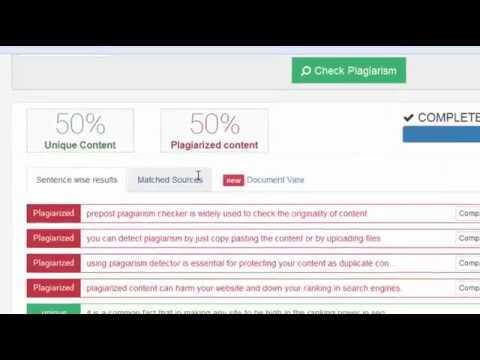
Within seconds, the tool displays the percentage of unique content and highlights duplicated sentences with links to the original sources.
2. Prepostseo DA Checker
Although it is not directly related to writing, this tool is extremely valuable for SEO professionals.
The prepostseo DA checker measures the Domain Authority (DA) of a website.
This metric helps evaluate the credibility of a site before publishing guest posts or inserting backlinks.
How to use it
Enter the website URL into the search bar.
The tool instantly provides:
- Domain Authority (DA)
- Page Authority (PA)
- Spam Score
These indicators help determine whether a site is valuable for SEO partnerships.
3. Prepostseo Paraphrasing Tool
The prepostseo paraphrasing tool is extremely useful if you need to rewrite a sentence or avoid duplicate content.
It replaces words with synonyms and modifies sentence structures while preserving the original meaning.
How to use it
- Insert your original text into the left box.
- Choose a rewriting mode such as Standard, Fluent, or Creative.
- Click Paraphrase.
The rewritten version appears instantly on the right side, ready to be copied into the prepostseo text editor.
4. Prepostseo Text Summarizer
If you have written a very long article and need a short introduction or summary, the prepostseo summarizer can extract the key ideas automatically.
How to use it
- Paste your long text into the tool.
- Choose the desired summary length.
- Generate the summary.
The AI condenses the content and highlights the most important sentences.
5. Prepostseo Essay Writer
Writer’s block happens to everyone.
The prepostseo essay writer acts as an AI writing assistant capable of generating paragraphs or article structures based on a simple topic.
How to use it
- Enter your topic or keywords.
- Generate the first draft.
- Import the draft into the online text editor to refine and personalize it.
This tool is particularly useful for brainstorming content ideas.
6. Prepostseo Image to Text Tool
Using OCR technology (Optical Character Recognition), this tool extracts text from images, scanned documents, or infographics.
Instead of typing everything manually, you can convert images into editable text.
How to use it
- Upload your image (JPG, PNG, etc.).
- Start the extraction process.
Within seconds, the tool converts the image text into editable TXT format, which you can copy directly into the prepostseo text editor.
7. Prepostseo AI Text Humanizer
With the rise of artificial intelligence tools such as ChatGPT, AI-generated texts can sometimes sound robotic.
The Prepostseo Humanizer is designed to transform AI-generated content into more natural writing.
How to use it
- Paste your AI-generated content into the tool.
- Activate the humanizer.
The algorithm improves vocabulary variation, adjusts sentence structure, and adds natural flow to make the content appear more human-written.
About Prepostseo
Prepostseo is an agency founded by Ahmad Sattar, a web developer and his AR AS assistant to help web editors, webmasters and SEO experts in creating high-performing articles.
Its main objective is to improve the content and referencing of websites. For this, it offers free tools to its users so that they can upload content without plagiarism and above all of quality.
We can cite as tools the DA Checker, the Paraphrasing Tool, the Plagiarism Checker, the Summarizer, etc. Thanks to these tools, Prepostseo provides its users with the best SEO solutions.
Thus, they can easily check:
- The plagiarism rate of an article;
- The SEO score of a content;
- Spelling and grammatical errors in an article;
- Backlinks (return links);
- Keyword density;
- Domain authority, i.e. the quality of a website;
- And much more.
With these tools, the Prepostseo also helps to reformulate and summarize articles. All this to facilitate the writing of content optimized for the web.