
YouTube Analytics | Social Blade
Short description : Videos Analytics
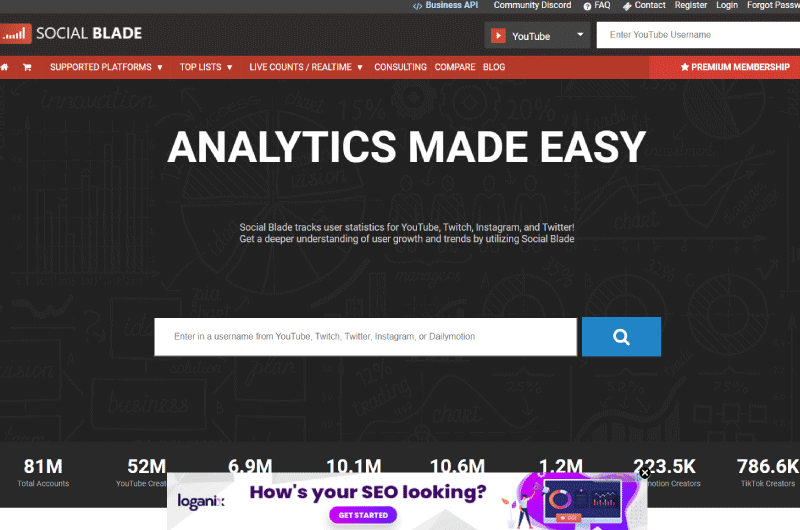
Discover Social Blade, a comprehensive YouTube analytics tool designed for tracking user statistics and growth on platforms like YouTube, Facebook, and TikTok.
Long Description : Videos Analytics
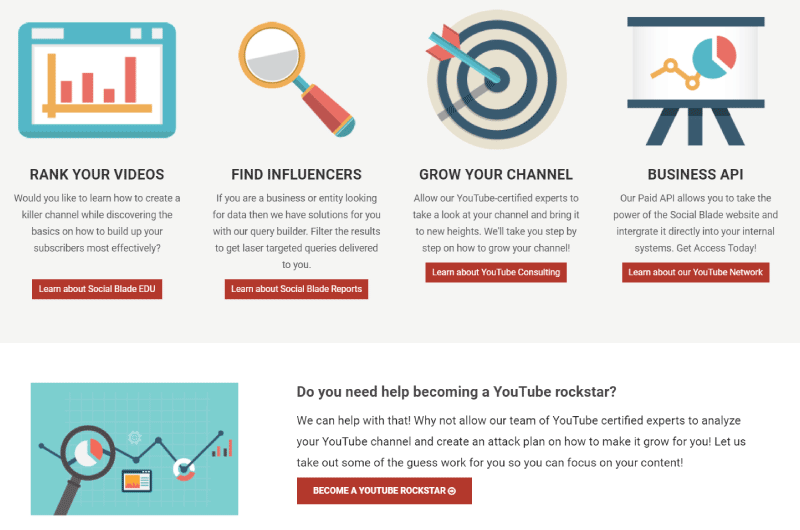
Social Blade stands out as one of the absolute best platforms for analyzing a YouTube channel. As a premier YouTube analytics tool, it diligently tracks user statistics not only for YouTube but also for Twitch, Instagram, and Twitter. By leveraging the advanced features provided by Social Blade YouTube, content creators, agencies, and marketers can gain a much deeper understanding of user growth, audience behavior, and emerging digital trends.
Detailed Tool Overview: YouTube Analytics
Over half of the global population—roughly 58.4% uses social media on a daily basis. This staggering figure represents an unprecedented pool of real opportunities for modern businesses. Social media has fundamentally transformed digital marketing, compelling brands of all sizes to place these platforms at the very core of their overarching marketing strategies. However, analyzing social media accounts is not always as straightforward as analyzing standard website traffic. Due to the limited availability of comprehensive public statistics on native apps, most businesses struggle to examine the real-time performance of their top platforms or benchmark themselves against competitors. Native platforms often restrict data access to the account owner, leaving marketers in the dark when it comes to competitor research. To overcome this major hurdle, it has become standard industry practice to use third-party applications to extract deep, actionable insights regarding social account activities. Social Blade is one of those essential tools that allow anyone to perform a free YouTube channel analysis and extract vital social media data seamlessly. This platform can help you gain a much better understanding of your social media business growth. Through this comprehensive, step-by-step Social Blade tutorial, we will discover exactly how this tool works, its core features, and how you can strategically use it to enhance your content creation strategy across multiple social media networks.What is Social Blade ?
At its core, Social Blade is an advanced channel analysis platform that monitors and compiles the YouTube stats of your accounts. Highly reliable for YouTube as well as a variety of other major social networks, it allows you to fully grasp the ongoing trends of your business’s social accounts and to check YouTube channel stats in just a few simple clicks. This functionality is particularly indispensable for entrepreneurs, freelancers, and businesses that offer online services and heavily rely on social accounts like YouTube and Instagram for lead generation and brand awareness. Indeed, obtaining highly relevant and contextual data is often a difficult task. Even though the native YouTube Studio provides creators with a wealth of internal data, essential key information is often missing when it comes to effectively analyzing a YouTube channel within the broader market landscape. For example, native tools won’t easily let you compare your daily subscriber growth side-by-side with your top competitors. The necessity of having relevant, actionable social account statistics stems from the fact that social media marketing has evolved into one of the most effective ways to introduce your brand to potential customers. This is where the true value of using the platform lies. Whether you use Social Blade free or opt for a paid premium subscription depending on your specific needs, the platform puts simplified, highly visual analyses right at your fingertips. There is a massive global user base—including a large community in France, North America, and across the globe—who highly appreciate how easily accessible and readable this data is. This tool provides all its users with open access to its massive public database. From this aggregated data, you will be able not only to analyze your own personal or business accounts but also to closely track the subscriber statistics, daily video views, and overall performance metrics of absolutely any content creator, influencer, or competing brand.Step-by-Step Guide: Free YouTube Channel Analysis with Social Blade
Are you currently looking for a simple, fast, and highly effective way to track digital metrics? Social Blade remains one of the absolute best free solutions available on the market to dissect a channel’s performance. Whether you want to conduct a comprehensive free YouTube channel analysis for a marketing audit or simply want to casually view the statistics of a creator you admire, this tool grants you immediate access to all the essential data you need. Here is the chronological process to navigate the platform and analyze your data:Step 1: Search for the Target Channel
Navigate to the Social Blade homepage. In the top right corner, you will find a prominent search bar. Make sure the dropdown menu next to it is set to “YouTube,” type in the exact username or channel ID you wish to analyze, and hit enter.Step 2: Review the Main Dashboard
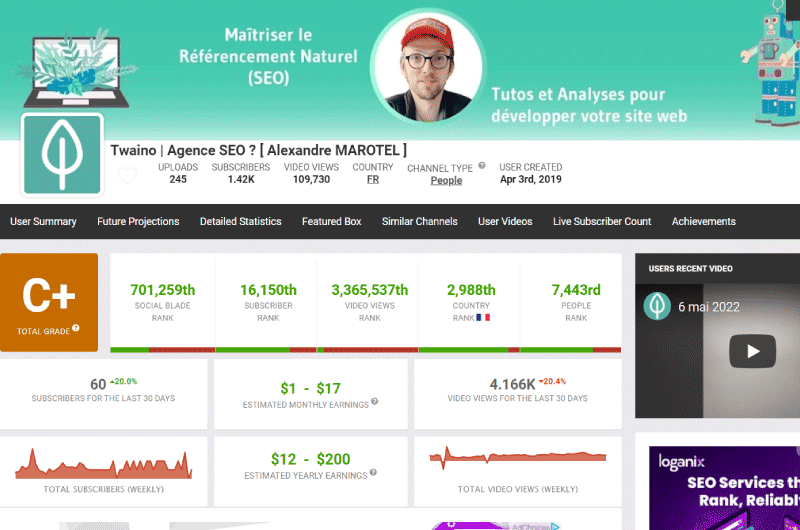
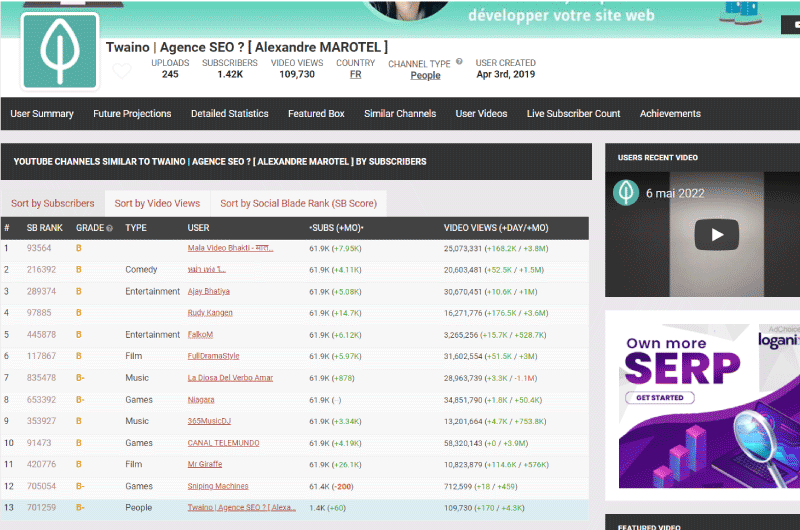
Once the profile loads, you will be greeted by the main YouTube analytics dashboard. Here, Social Blade assigns a global “Grade” (ranging from A++ for the top creators down to T) based on the channel’s overall influence and engagement. You will also see their global rank for subscriber count and video views. This is the starting point for understanding a creator’s weight in the industry.Step 3: Analyze the Daily Breakdown
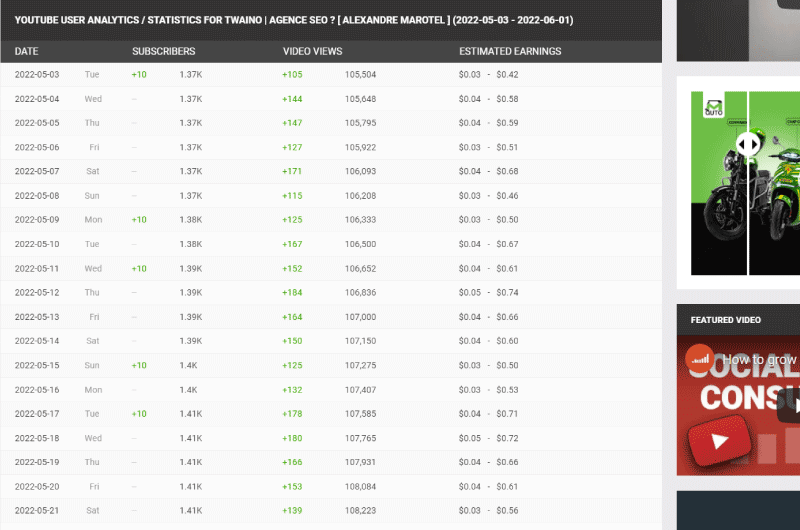
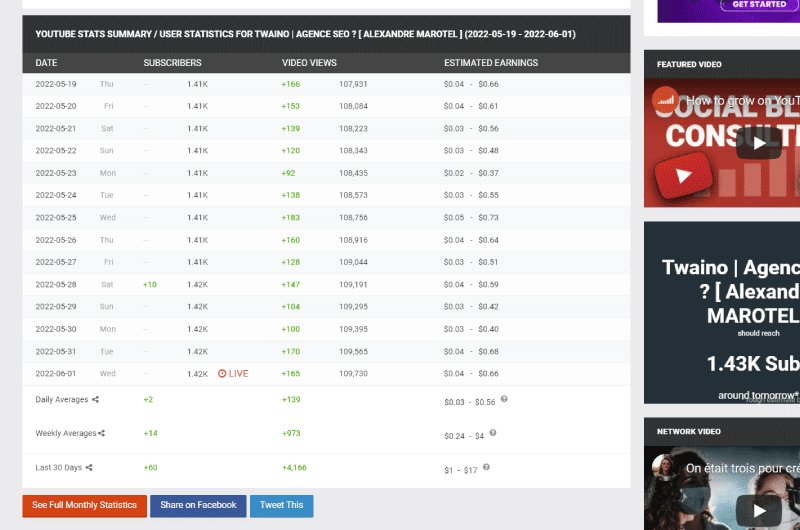
Scroll down the page to reach the most critical section: the daily statistical table. Using Social Blade YouTube, you can analyze the channel in incredible depth. The data is broken down day by day, showing you exactly what happened on specific dates. Key metrics include:- Evolution of Subscribers: See exactly how many subscribers a channel gained or lost on a specific day.
- Daily View Count: Track the number of views accumulated daily, which is crucial for identifying which specific video releases caused massive spikes in traffic.
- Estimated Earnings: The platform provides a minimum and maximum range of estimated ad revenue (AdSense), helping you understand the financial scale of a creator.
Step 4: Examine Channel Growth Charts
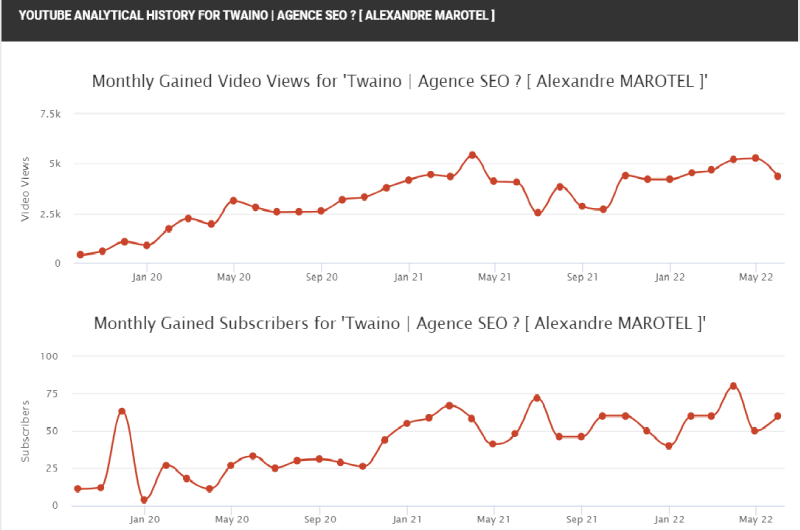
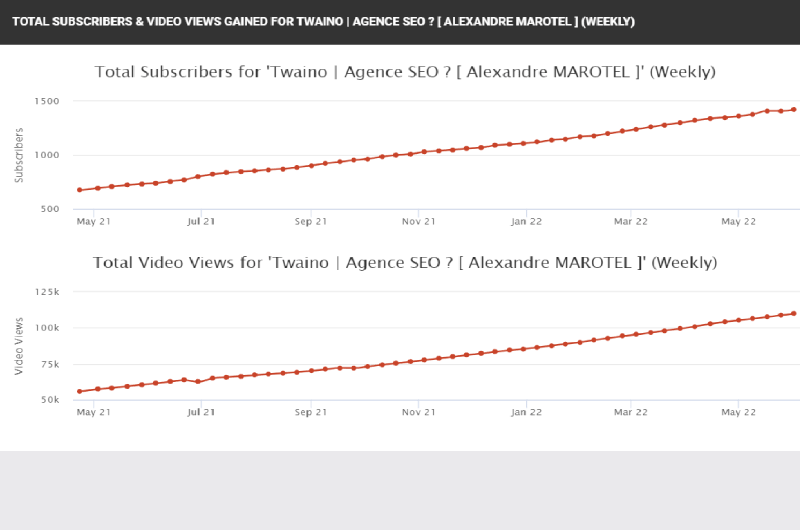
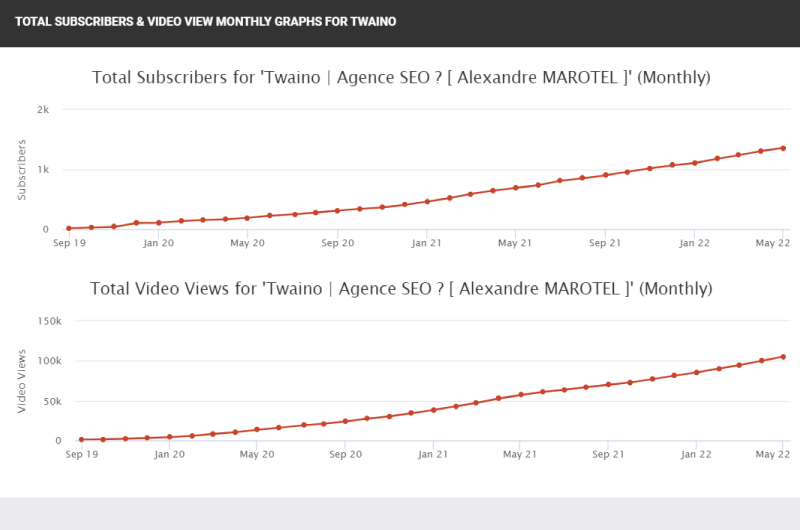
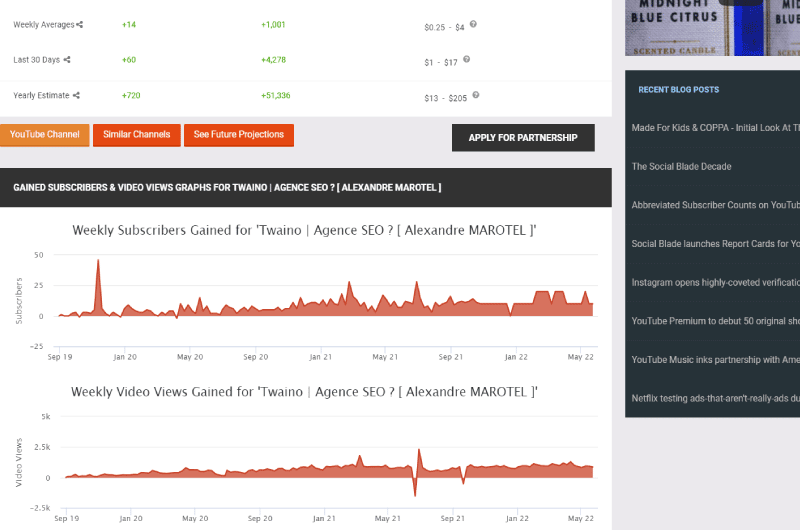
Below the daily table, you will find interactive visual graphs. These charts illustrate the channel’s growth trajectory over the last 30 days, or even over several years. These visuals are incredibly useful for spotting long-term trends and are perfect for including in professional marketing reports. Everyone in the digital marketing space is unanimous in agreeing that this free social media management tool is ideal for creators who want to track their YouTube stats rigorously without being forced to pay for a subscription. The icing on the cake? It allows you to analyze the channels of your direct competitors or the industry-leading creators you follow, giving you the ultimate competitive edge.The Impressive Statistics Behind Social Blade
Social Blade is not just a niche tool; it is a massively popular platform that countless content creators, media agencies, and global brands already use daily to track their statistics and monitor their overall growth across the social media landscape. The sheer scale of its database is what makes it so powerful. This popular tool already actively tracks over 72 million YouTube channels. But it doesn’t stop at video-sharing platforms; it also continuously monitors nearly 7.3 million Twitch channels and over 1.8 million creators on TikTok. When it comes to the legacy social networking platforms, Social Blade is equally robust. It supports and tracks over 1.8 million Facebook pages and a staggering 11 million Instagram accounts. This extensive cross-platform tracking is vital in today’s digital ecosystem, where a creator’s audience on one platform often heavily influences their following on another.Core Features of Social Blade: Maximizing Your Strategy
Using this platform can help you achieve several unprecedented things in terms of social account analysis, particularly for video-centric platforms. Here is a detailed look at how to leverage its main features.1. Find and Vet Influencers
Because Social Blade grants all of its users open access to its comprehensive database, you can creatively use it as a powerful influencer marketing tool to find the perfect ambassadors for your brand. The tool offers a powerful “Query Builder” that allows you to filter results to get highly targeted queries. For example, you can filter to find the top creators in a specific country (like France, the US, or the UK) or within a specific niche. Thus, you can find the most influential accounts for specific queries on your preferred social platforms. From there, all you have to do is analyze the results of these accounts to see how suitable they are. By checking their historical data, you can verify if their audience growth is organic and healthy before committing your marketing budget to them.2. Grow and Develop Your YouTube Channel
One of the core promises of the platform is that it will actively help you develop your YouTube channel. They go beyond just providing raw data; they offer educational resources. The platform provides certified courses on proven methodologies that can help you strategically grow your channel. Even if education isn’t the primary reason most people initially use this tool, you will find YouTube-certified experts available who can help you take your channel to a whole new level of success by identifying the weak points in your current strategy.3- Deeply Analyze Your Social Accounts: YouTube, Facebook, TikTok
With the extensive data provided about your social accounts, you will be able to analyze exactly which types of posts, shorts, or long-form videos are meeting the most success. The tool offers a fully comprehensive YouTube analytics dashboard where you can view everything you need to know about your channel and its ongoing growth. You can apply this same rigorous tracking to Instagram or other supported platforms. In fact, Social Blade takes the raw data collected and creates highly visual, easy-to-read graphs and simple statistics that allow you to track the progress of your accounts at a glance. They even provide “Future Projections” that use your current growth rate to predict where your channel will be in the coming months and years.How to Use Social Blade for YouTube ?
Understanding how to leverage a comprehensive YouTube analytics tool is the cornerstone of any successful digital strategy. Fortunately, getting to know how to use Social Blade for YouTube is incredibly accessible, even if you are a complete beginner. The platform is designed with a highly intuitive user interface. To start your journey, all you need to do is type the exact name of the channel or the creator’s specific username into the search bar located at the top right of the screen after logging into the website. The tool’s search engine will then present you with a list of matching social accounts across different platforms. You simply have to select the correct account to instantly see the public statistics displayed on your screen. To begin your data interpretation, the first thing you should look at is the “Grade” the tool assigns to your channel. This is located prominently at the top of the YouTube analytics dashboard. If your channel does not have a stellar grade right away, do not panic. It is important to keep in mind that the grading curve is exceptionally steep. Channels that garner more than 10,000 daily visitors might still only receive a “C” grade. Generally, only the top 1% of creators and the absolute mega-stars of YouTube manage to secure the coveted “A” and “B” grades. This grading system is highly competitive by design. Right next to this alphabetical grade, you will find your global subscriber rank and your global video viewing rank, as well as a specific proprietary rank attributed directly by the platform’s algorithm. These ranks tell you exactly where you stand in the global hierarchy of content creators. Moving down to the second row of the interface, the platform displays the total views and new subscribers you have successfully acquired over the last 30 days. Crucially, it also displays the percentage by which your channel is currently trending up or down compared to the previous 30-day period. The wealth of information present on this specific line will allow you to see exactly how your channel is developing, but in a much more easily digestible format than navigating the complex menus of the native YouTube Creator Studio. It provides a perfect snapshot of your current momentum. What is perhaps even more interesting for ambitious creators is that, on the last line of this first section, the platform shows an accurate estimation of your monthly earnings. This is, without a doubt, one of the most utilized features by internet users who wish to demystify the creator economy and find out exactly how much a specific YouTuber earns from their content. If you scroll further down the page to the detailed secondary section, you will be able to see a comprehensive breakdown of your daily YouTube stats. Here, you can view your accumulated views, your new subscribers, and your estimated ad revenue broken down day by day rather than aggregated by month. Visually, positive channel growth is highlighted in bright green, while any loss in viewership or subscribers is marked in red, making it incredibly easy to spot trends at a quick glance. By carefully looking at this daily chart, you can easily determine which specific video releases brought the most traffic and revenue to your channel right after they were posted. Consequently, you will have a crystal-clear idea of the exact genres, topics, and styles of videos that your audience truly wants to see.How to Use Social Blade to Spy on Other YouTube Channels ?
Using this platform to analyze your own data is great, but its true power is unleashed when you use it for competitive intelligence. Instead of typing your own name into the search bar, you can simply enter the names of your direct competitors or any other channel you strongly desire to analyze. By conducting a free YouTube channel analysis on your direct competitors—meaning channels that are roughly the same size as yours and operate within the exact same content niche—you will be perfectly positioned to see exactly which of their recent videos are performing the best. If you notice a massive green spike in their daily views on a specific Tuesday, you can go to their YouTube channel and see exactly what video they published on that day. The strategic value here is immense: when you know precisely what is currently working for your rivals, it will heavily assist you in designing and refining your own content strategy. You can identify gaps in the market, discover trending keywords, and reverse-engineer their most successful video concepts. Furthermore, you can also use Social Blade free of charge to thoroughly research the massive global YouTube stars that you personally admire. By checking their data, you can see how they are managing their massive growth, how frequently they post, and how their viewership fluctuates during different seasons of the year.How Much Does a YouTuber Make? Revenue Estimations and Detailed Statistics ?
The built-in revenue estimator is undoubtedly one of the most highly appreciated and frequently discussed features of this massive YouTube analytics tool. In fact, a significant portion of daily users visits the platform exclusively to find a reliable site that can answer the burning question: exactly how much does a YouTuber make? When you load a profile, the magic happens immediately, as the tool boldly displays a realistic range of both daily and monthly financial gains. This calculation is heavily based on the total daily views as well as the historical performance of the channel. It is important to note that the tool provides a “range” (for example, $500 – $8,000) because YouTube RPMs (Revenue Per Mille) vary wildly depending on the channel’s specific niche. A finance channel will always earn vastly more per 1,000 views than a gaming channel. In parallel with this financial data, you can effortlessly access your detailed YouTube stats, including the historical data regarding your YouTube subscribers. By continuously monitoring these metrics, you can seamlessly identify the videos that perform the absolute best for your bottom line and adjust your future production strategy accordingly to maximize your AdSense payouts.The Social Blade Browser Extension and Mobile Applications
To make data tracking even more seamless, the platform offers a dedicated browser extension that allows you to easily display all the vital statistics directly on the native YouTube website itself. When installed, this highly convenient extension displays a specialized data box right next to the YouTube videos you are actively watching. At a glance, it shows the most critical statistics gathered by the platform concerning that specific creator’s channel, without you ever needing to open a new tab or visit the main Social Blade website. Beyond YouTube, this versatile extension also fully supports Twitch, Instagram, and TikTok. It is a wildly successful add-on that currently boasts over 330,000 active daily users and maintains an impressive overall rating of 4 stars on the extension store. For creators and marketers who are constantly on the move, the platform also provides comprehensive statistics straight from its dedicated mobile applications, which are available for both Apple (iOS) and Android devices. You can effortlessly check YouTube channel stats from your smartphone while commuting or traveling. In summary, this platform stands tall as one of the absolute best YouTube analysis tools available on the digital market today. It is perfectly tailored for individuals, agencies, and brands who wish to gain profound, data-driven insights into the deep analytics of their YouTube channels and utilize these empirical results to aggressively develop their online business activities.FAQ: Social Blade YouTube Statistics Analysis Tool
Is Social Blade a reliable source to check YouTube channel stats in 2026 ?
Yes, it remains one of the most popular, trusted, and heavily utilized YouTube analysis tools on the global market today. When it comes to scraping and displaying public indicators—such as the exact number of subscribers, daily view counts, and total channel views—the platform consistently provides highly accurate, real-time results. However, it is vital to remember that the financial revenue estimates and future growth projections are only approximate figures. They are mathematically based on average CPM (Cost Per Mille) rates across the entire platform, rather than on the creator’s actual, private monetization data.What are the main limitations of Social Blade when analyzing a YouTube channel ?
While it is an absolutely phenomenal platform for conducting a free YouTube channel analysis, it does come with certain inherent limitations due to API restrictions. Most notably, it does not have any access to a creator’s highly sensitive private data. It cannot show you traffic sources (where the viewers are coming from), audience retention rates, click-through rates (CTR), or detailed viewer demographics (age and location). Furthermore, the revenue estimates can vary drastically depending on the specific industry sector and the geographic country of the audience. Additionally, the tool does not offer a detailed qualitative analysis of the content itself (such as evaluating titles, thumbnails, or SEO tags). For a truly comprehensive, highly strategic YouTube analysis, many experienced creators choose to combine the data found on Social Blade YouTube with other specialized qualitative tools and the native YouTube Studio.How can I fully leverage Social Blade within a multi-platform strategy (YouTube + TikTok + Instagram) ?
The platform is exceptionally useful for tracking comprehensive digital growth across several massive platforms from one single, unified location. You can meticulously monitor the YouTube stats of your main channel while simultaneously comparing your daily progress on TikTok or Instagram. This allows you to mathematically determine which specific platform resonates the most with your target audience at any given time. Furthermore, you can utilize the main YouTube analytics dashboard as a baseline reference tool to spot cross-platform trends. For example, if a specific YouTube video suddenly achieves exceptional results and goes viral, you can quickly check the dashboard to see if that virality has successfully translated into improved metrics and new follower growth on your other connected social networks.Can Social Blade be used to establish realistic growth forecasts ?
Yes, the platform features a “Future Projections” tab that provides mathematical forecasts of future growth heavily based on your current, ongoing statistical trends. However, these projections should strictly be considered as an indicative baseline. They are purely mathematical and cannot take into account sudden, unpredictable changes such as massive algorithm updates, sudden viral trends, or lucrative shout-outs and collaborations with other creators. Savvy, experienced content creators tend to view these long-term forecasts as a powerful source of motivation and a general benchmark, rather than as an absolute, guaranteed guarantee of future success.Videos : Videos Analytics
Images : Videos Analytics
Company : Videos Analytics

Social Blade is a company founded by Jason Urgo in 2008. Its purpose was to track statistics for the then popular Digg website. It wasn’t until 2010 that the company started tracking Youtube stats.
Having achieved enough success with these stats, she added other platforms like Twitch in 2013, Instagram in 2014, Twitter in 2016, Daily Motion in 2017 and 4 years ago Mixer.
Anyway, SocialBlade officially became a company in 2012. Its Social Blade tool, of the same name as the company, tracks user statistics for the platforms mentioned above. It is able to bring you general analytics related to any content creator, brand or live streamer.
That said, if you are possibly looking for Twitch Streamers or Youtube Creators, Social Blade can give you a good experience through these different features.
Contact : Videos Analytics
- Videos Analytics
- Check the Corporate Website
Social Media : Videos Analytics
Others Tools : Videos Analytics





 Alexandre MAROTEL
Founder of the SEO agency Twaino, Alexandre Marotel is passionate about SEO and generating traffic on the internet. He is the author of numerous publications, and has a Youtube channel which aims to help entrepreneurs create their websites and be better referenced in Google.
Others SEO Tools

All SEO Tools
Sorry, no content found.